The short answer
Connecting Odoo to a storefront or marketplace is mostly a set of decisions, not code: which system owns each record, which way it flows, and what happens when a message is lost, repeated or late. Get those written down and the build is routine. Skip them and you get the usual symptoms: oversold stock, duplicate orders, and accounts that do not match the channel's payouts.
This guide uses Shopify as the worked example because its API is publicly documented. The pattern is the same for any marketplace or order-management system; the last section lists what to find out about a channel before you start. For what Odoo itself costs, including which plan allows API access, see Odoo implementation cost.
First, check whether Odoo's own connector is enough
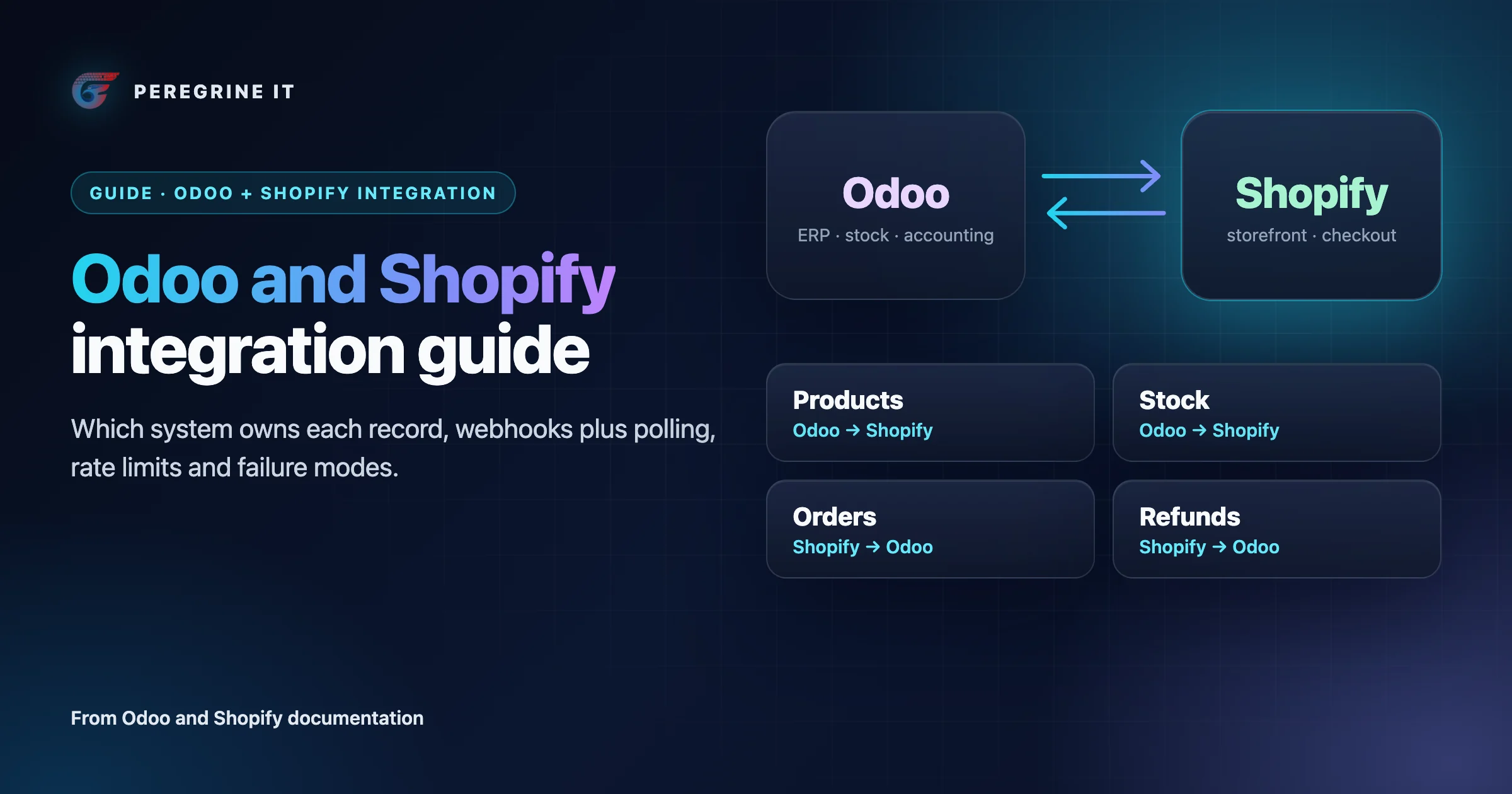
Odoo ships a Shopify Connector. Its documentation says it synchronizes orders, products, inventory, deliveries, returns, and refunds between a Shopify store and Odoo, in these directions:
| Data | Direction in Odoo's Shopify Connector |
|---|---|
| Orders, products, customers | Shopify → Odoo |
| Inventory; fulfillments and deliveries | Both ways |
| Returns; refunds and credit notes | Shopify → Odoo |
| Invoices and payments | Created in Odoo automatically |
Three documented behaviors decide whether it fits:
- It is not real-time. The connector does not perform real-time synchronization and does not rely on webhooks; by default orders are pulled every 10 minutes, and stock is pushed to Shopify after each order synchronization.
- Products start in Shopify. The product direction is Shopify to Odoo, so a catalog mastered in Odoo does not fit the default.
- Returns depend on where deliveries are handled. When deliveries are handled in Odoo, returns initiated in Shopify do not sync automatically.
If one Shopify store, a ten-minute delay and those directions suit you, use the connector. A custom integration is for the other cases: a channel Odoo has no connector for, several channels sharing one stock pool, a catalog owned by Odoo, or stock that must update faster than a polling interval. A custom integration talks to Odoo through its external API, and Odoo states that access to data via the external API is only available on Custom Odoo pricing plans.
Decide which system owns each record
One system owns each record; the other holds a copy and never edits it. The table is a default for a business that runs stock, purchasing and accounts in Odoo and sells through one or more channels. Change a row if your business differs, but do not leave a row with two owners.
| Record | Owner | Direction | Trigger | Match on | Watch for |
|---|---|---|---|---|---|
| Product and variants | Odoo (or the channel, if you use Odoo's connector) | Odoo → channel | On change, plus nightly compare | SKU, stored with the channel's variant ID | Duplicate or blank SKUs; variants modeled differently on each side |
| Descriptions and images | Channel | None | None | None | Marketing edits overwritten by a sync that sends every field |
| Price | Odoo pricelist, one per channel | Odoo → channel | On change | SKU and currency | Tax-inclusive against tax-exclusive prices; rounding |
| Stock | Odoo | Odoo → channel | On every stock move, plus scheduled full push | SKU and location | Which Odoo quantity you publish (on hand or available after reservations); buffer for slow channels |
| Order | Channel until paid, then Odoo | Channel → Odoo | Webhook, plus polling for missed orders | Channel order ID, stored on the Odoo sales order | Edits and cancellations after import; orders with unknown SKUs |
| Customer | Channel for the storefront account; Odoo for the accounting contact | Channel → Odoo | With the order | Channel customer ID, then email | Guest checkouts; one person with several emails; marketplaces that mask buyer details |
| Fulfillment and tracking | Whoever ships (usually Odoo) | Odoo → channel | On delivery validation | Order ID and line | Partial shipments; split across warehouses; carrier name mapping |
| Return and refund | Channel starts it; Odoo records stock and credit note | Channel → Odoo | Webhook, plus polling | Channel refund ID | Refund without a return; partial refunds; restock or not |
| Invoice and payment | Odoo | None, or Odoo → customer | On order confirmation or delivery | Order ID | Channel fees and payouts: reconcile against the payout report, not order totals |
| Tax | Decide once: channel calculates and Odoo records, or Odoo calculates | Channel → Odoo | With the order | Tax code mapping table | Two systems each calculating tax and disagreeing by a cent |
Webhooks and polling: use both
Webhooks are fast and polling is complete. Shopify says so about its own webhooks: an app shouldn't rely on receiving data from Shopify webhooks because delivery isn't always guaranteed, and it recommends reconciliation jobs that periodically fetch data, built on updated-at filters. Four more documented behaviors shape the receiver:
- Five seconds to answer. Shopify has a one-second connection timeout and a five-second timeout for the entire request, and treats any response outside the 200 range, including 3XX codes, as an error. The receiver verifies, stores the payload on a queue and answers. It never calls Odoo before answering.
- Retries, then removal. On failure Shopify retries 8 times over the next 4 hours; after 8 consecutive failures the subscription is automatically deleted if it was created through the Admin API. An outage longer than that leaves you with no webhooks at all until you subscribe again.
- No ordering. Shopify doesn't guarantee ordering within a topic, or across different topics for the same resource, so an update can arrive before the create. Compare timestamps, or treat the webhook as a signal and fetch the current record.
- Duplicates happen. An app might receive the same webhook more than once; each delivery carries an X-Shopify-Webhook-Id header to detect and skip duplicates, and an HMAC signature in the X-Shopify-Hmac-SHA256 header to verify first.
On the Odoo side, changes leave by an automated action or by your integration polling for records changed since its last run. Odoo can also receive webhooks: its documentation describes them as created in Studio to automate an action in your Odoo database when a specific event occurs in an external system, with a warning that if not properly configured, webhooks may disrupt the Odoo database. For a channel integration we would not point the channel straight at Odoo. A small service in between gives you the queue, the duplicate check and the retry policy in one place.
The resulting flow for an order:
- Receiver verifies the signature, records the delivery ID, queues the payload, answers 200.
- Worker takes the job, skips it if that delivery or order version was already processed.
- Worker maps the order and calls one Odoo method that creates or updates the sales order.
- On failure the job is retried with backoff; after a set number of attempts it goes to a dead-letter list a person reviews.
- A scheduled job asks the channel for orders updated since the last run and queues any the webhooks missed.
- Stock changes in Odoo are pushed to the channel, and a scheduled full comparison corrects drift.
Idempotency and replay
Every message will at some point be delivered twice, and every job will at some point be run twice. The integration is correct only if doing so changes nothing.
- Store the channel's order, refund and fulfillment IDs on the Odoo records and look them up before creating anything. “Create order” becomes “create unless this ID exists, otherwise update”.
- Keep processed delivery IDs for longer than the channel's retry window.
- Do each business operation in one Odoo call. Odoo's JSON-2 API runs every call in its own SQL transaction and it is not possible to chain multiple calls inside a single transaction, which Odoo calls especially dangerous for operations related to reservations and payments. Its advice is to call a single method that performs all the related operations, and where none exists, to add one in a dedicated module. An order import that creates the customer, the order and the lines in three calls can stop after the second.
- Use the channel's idempotency support for writes. Shopify's lets you safely retry requests that might have failed due to connection issues, without causing duplication, through an idempotency key or an @idempotent directive on mutations that accept one.
- Send stock as an absolute quantity, not a change. A repeated “set to 12” is harmless; a repeated “subtract 1” is not.
- Keep raw payloads long enough to replay a day of traffic into a test database.
Rate limits on both sides
Shopify. The GraphQL Admin API is limited by calculated query cost: 100 points per second on standard plans, 200 on Advanced Shopify, 1,000 on Shopify Plus and 2,000 for enterprise, with a single query capped at 1,000 points and input arrays capped at 250 items. Limits apply per combination of app and store. The older REST Admin API, which Shopify has marked legacy as of October 1, 2024, allows 2 requests per second on standard plans and answers 429 Too Many Requests beyond that. Shopify's recommended backoff time is one second, and it notes it may temporarily reduce rate limits to protect platform stability. Very large catalogs meet one more limit: once a store has 500,000 product variants, no more than 10,000 new variants can be created per day, except on Shopify Plus.
Odoo. The external API pages we read publish no request-rate figure, so do not assume one. Measure on a staging copy, keep concurrency low, and ask Odoo about limits on your hosting. What the documentation does say: use dedicated bot users for integrations, so that the minimum required permissions can be granted, and note that every API key has a duration, after which the key becomes invalid. An expired key is a common cause of an integration that stops overnight.
The design consequence is the same on both sides: all outbound calls go through a queue with a limiter per system, bulk jobs such as a full stock push run at a lower priority than orders, and a throttle response slows the queue instead of failing the job.
Versions expire: plan for it
- Shopify releases a new API version every three months, and each stable version is supported for a minimum of 12 months. If you call a retired version, Shopify falls forward and responds using the oldest accessible stable version, so a field can change under you without an error. Webhook payloads are versioned the same way.
- Odoo introduced the JSON-2 API as new in version 19.0. The older XML-RPC and JSON-RPC endpoints are scheduled for removal in Odoo 22 (fall 2028) and Online 21.1 (winter 2027). A new integration should use JSON-2; an existing one on the older endpoints has a dated rewrite ahead.
Pin the version in every request, log the version the channel reports back, and put a recurring task in the calendar to move forward one version at a time.
Mapping pitfalls: units, tax and currency
- SKU. It is the only practical join between systems, and neither enforces it the way you need. Check for blanks and duplicates on both sides before the first sync, and store the channel's own IDs next to it so a renamed SKU does not break the link.
- Units of measure. Odoo automatically converts unit measurements between a product's units; a channel usually sells “1” of a listing. If you stock in single units and sell a pack of six, the listing must map to six units, both when the order comes in and when stock goes out.
- Tax. Odoo applies tax through fiscal positions, which adapt the taxes and the income and expense accounts used for a transaction automatically. If the channel has already calculated tax, import its amounts and map them to Odoo tax codes; do not let Odoo recalculate and differ. Decide whether prices are sent tax-inclusive or tax-exclusive, per channel.
- Currency. Odoo can record transactions in currencies other than the main currency configured for your company. Record the order in the currency the customer paid, and take the exchange rate from the payout, not from the day of import.
- Rounding. Line-level and order-level rounding give different totals. Compare order totals on import and post any difference to a rounding account, with an alert above a cent or two.
- Time zones. Store timestamps in UTC and convert for display. Day-boundary errors show up as orders in the wrong accounting period.
- Status. Write the mapping from each channel status to an Odoo action (confirm, cancel, hold) as a table, including what happens to an order edited after it was imported.
- Bundles and kits. Decide whether a bundle is one stock item or a bill of components, because that determines what stock number the channel is sent.
Failure modes and how to detect them
| Failure | How to detect it | What to do |
|---|---|---|
| Missed order (webhook lost, receiver down) | Scheduled comparison of channel order IDs against Odoo for the last few days | Queue the missing orders; this job is part of the design, not a repair tool |
| Webhook subscription removed | Daily check that expected subscriptions exist; no deliveries for longer than normal | Re-subscribe, then run the comparison for the gap. Shopify warns that if failures persist, the subscription is removed |
| Duplicate order in Odoo | More than one sales order with the same channel order ID | Unique constraint on that field; create-or-update logic |
| Order stuck (unknown SKU, missing tax mapping, validation error) | Dead-letter queue count above zero; age of oldest unprocessed job | A screen where staff see the reason, fix the data and retry |
| Oversell | Channel stock differs from Odoo's published quantity in the scheduled comparison; negative available stock | Push on every move, full push on a schedule, a safety buffer for slow channels |
| Half-created order | Sales orders with no lines, or customers created with no order, from the integration user | One Odoo method per operation, so it commits or rolls back as a whole |
| Throttled | 429 responses; queue depth growing; Shopify's reported available cost near zero | Limiter per system; slow the queue; move bulk work off-peak |
| Expired or revoked credentials | Authentication errors on every call; key expiry date within two weeks | Alert before expiry; documented rotation |
| Silent API version change | Version in the response header differs from the version requested | Upgrade on a schedule; contract tests on the fields you read |
| Out-of-order update | Stored record has a newer timestamp than the incoming message | Ignore older messages, or always fetch the current record |
| Refund not in the accounts | Channel refund total against Odoo credit notes per period | Import refunds as their own record type, with or without a stock return |
| Totals do not reconcile | Sum of imported orders against the channel's payout report | Record fees and adjustments from the payout; fix tax and rounding mapping |
Go-live checklist
- Ownership table agreed and signed by operations and finance.
- SKUs unique and non-blank on both sides; channel IDs stored in Odoo.
- Odoo plan allows external API access; a dedicated integration user with minimum permissions; key expiry on the calendar.
- Receiver answers inside the channel's timeout under load, with signature verification on.
- Replay test passed: the same day of payloads sent twice produces no duplicates and no stock change.
- Out-of-order test passed: update before create, cancel before create.
- Outage test passed: receiver off for longer than the retry window, then recovered by the comparison job.
- Tax, currency and rounding checked on real orders from every country and price type you sell in.
- Partial shipment, partial refund and refund-without-return each run end to end.
- Limiters set below each system's documented limit; a full stock push tested without starving orders.
- Dashboards and alerts live: queue age, dead letters, 429s, missing subscriptions, stock drift.
- A first full stock push scheduled for a quiet hour, and a rollback plan: channel listings paused, integration off, manual order entry.
- API version pinned on both sides, with the next upgrade date written down.
Applying this to another marketplace or order system
Nothing above is specific to Shopify except the numbers. For any other channel, whether a general marketplace, a specialist one or an order-management system, get the answers to these from its own developer documentation before estimating the work:
- Does it push events, or must you poll? If it pushes, what are the timeout, retry schedule and signature method?
- Is there a stable ID for every order, line, shipment and refund, and a delivery ID for every message?
- Can you ask for “everything changed since a timestamp”? That is the reconciliation job.
- What are the rate limits, and are they per account, per key or per endpoint?
- Does it accept an absolute stock quantity, and how quickly does a stock update take effect?
- Who calculates tax, and what does the order payload contain: gross, net, tax lines, fees?
- How are API versions retired, and how much notice is given?
- Is there a sandbox with realistic data?
If the documentation does not answer a question, ask the channel in writing before you build. We have not named other marketplaces here because we only describe an API from its own published documentation.
Frequently Asked Questions
Does Odoo have a Shopify integration?
Yes. Odoo’s Shopify Connector synchronizes orders, products, inventory, deliveries, returns, and refunds between a Shopify store and Odoo. It is scheduled, not real-time: it does not rely on webhooks, and by default orders are pulled every 10 minutes.
Is the Odoo Shopify integration real-time?
Not with Odoo’s own connector, which does not perform real-time synchronization. A custom integration can react to Shopify webhooks within seconds, but still needs a scheduled comparison because Shopify says webhook delivery isn’t always guaranteed.
Which Odoo plan do I need to connect Odoo to another system through its API?
Odoo’s documentation says access to data via the external API is only available on Custom Odoo pricing plans. Our Odoo implementation cost guide covers the plans.
Should a new Odoo integration use XML-RPC or the JSON-2 API?
JSON-2. Odoo’s XML-RPC and JSON-RPC endpoints are scheduled for removal in Odoo 22 (fall 2028) and Online 21.1 (winter 2027), and Odoo names the JSON-2 API as the replacement.
How do you stop duplicate orders when syncing a sales channel with Odoo?
Store the channel’s order ID on the Odoo sales order and create only if it is absent. Skip repeated deliveries using the delivery ID; Shopify sends an X-Shopify-Webhook-Id header to detect and skip duplicates. Create the order in one Odoo call, because each JSON-2 call runs in its own SQL transaction.
Can Odoo connect to marketplaces other than Shopify?
Through its external API, yes, where the marketplace also offers an API. The pattern in this guide applies: decide ownership per record, combine events with scheduled comparison, make every operation safe to repeat, and respect both systems’ rate limits. Read the marketplace’s own developer documentation for its limits and retry behavior.
Odoo facts are from Odoo's 19.0 documentation and Shopify facts from shopify.dev, read on October 10, 2026. Limits, intervals and version dates change; check the linked pages before you rely on a number. This is neutral technical guidance: Peregrine has not published an Odoo case study, and nothing here describes a client project or a delivered integration.
Planning an Odoo integration? See our Odoo service and how we approach API integration in general. Every project starts with a 30-minute technical discovery call with an engineer.
