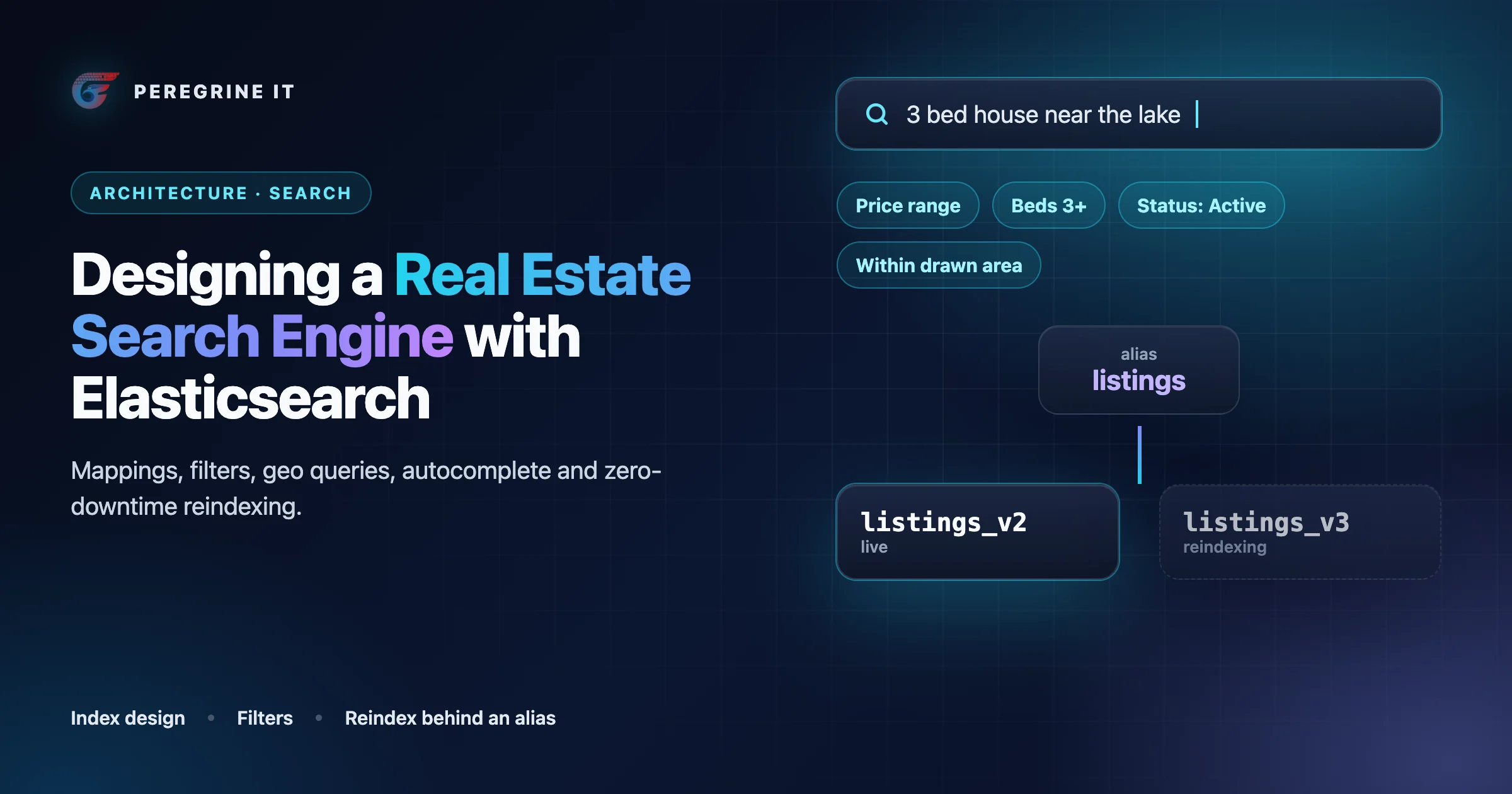
The problem: one search box, five kinds of question
A buyer on a listing site asks five different things through the same screen. Which homes match these filters. Which of them are inside this map view. What was that address I started typing. How many condos are left if I add a price cap. And, occasionally, which listings mention a fenced yard. A relational or document database answers the first well, the second with a spatial index, and the rest with increasing effort, which is when teams add a search engine as a second, derived copy of the listing data.
Whether you need one at all is covered in our tech stack guide, and how listings reach your database in the MLS data pipeline architecture guide. This article starts after both decisions: you have chosen Elasticsearch, the listings are in a system of record, and the question is how to design the index, the queries and the sync. Each capability and limit is linked to Elastic's documentation as read on October 12 and 13, 2026.
Where the index sits
The same architecture in words:
- Write path. When rows change in the primary database, an indexer builds one search document per listing and sends bulk upserts and deletes to the live index (here
listings_v7). - Rebuild. When the mapping changes, the indexer fills a new index (
listings_v8) with a full load plus the same ongoing changes. Nothing searches it yet. - Read path. The website and apps call a search API, which builds the query, adds the display filters, and queries only the alias
listings. - Swap. After the new index is verified, the alias moves from
listings_v7tolistings_v8in one atomic step, and the old index is kept for rollback.
Two rules follow: the application never names a physical index, and the index never holds anything that cannot be rebuilt from the database.
Index design: one document per listing
Start with explicit mappings. Elasticsearch will guess types if you let it, but with "dynamic": "strict", when new fields are detected an exception is thrown and the document is rejected. For MLS data, where a feed can add a field without notice, we would take a rejected document that raises an alert over a silently mis-typed field, because you cannot change the field type of an existing field; the fix is a new index and a reindex.
The type you choose for each field decides which operations are possible on it:
| Listing data | Type | Why |
|---|---|---|
| Status, property type, city, postal code, feature tags, listing ID | keyword | Meant for structured content such as IDs, email addresses, hostnames, status codes, zip codes, or tags, and usable for sorting, aggregations, or scripting. Elastic also notes that term query searches on keyword fields are often faster than term searches on numeric fields, so an MLS number you never range over is a keyword even when it is all digits. |
| Public remarks | text | Analyzed, to search for individual words within each full text field. Text fields are not used for sorting and seldom used for aggregations. |
| Price, bedrooms, bathrooms, living area, lot size, year built | long, short, half_float, integer | Numeric fields are optimized for range queries, which is what a price or bedroom filter is. For integers, pick the smallest type which is enough for your use-case. |
| List date, modification time, open house start | date | Stored internally as a long number representing milliseconds-since-the-epoch, in UTC. Send dates with their offset. |
| The listing's coordinates | geo_point | Supports finding points within a bounding box, within a certain distance of a central point, or within a geo_shape query, plus grid aggregations and sorting documents by distance. |
| Neighborhood, school zone or custom area boundaries | geo_shape | Required if the data being indexed contains shapes other than just points. Boundaries belong in their own small index, not on the listing. |
One field often needs two types: a city name is filtered and counted as a keyword but also typed into a search box. Multi-fields exist for this, since it is often useful to index the same field in different ways for different purposes. For keyword fields that users type, add a normalizer, which is similar to analyzer except that it guarantees that the analysis chain produces a single token, so that "AUSTIN" from one feed and "Austin" from another land in the same bucket.
Arrays of objects: nested, flattened, or neither
Rooms and open houses arrive as arrays of objects, and this is where a listing mapping usually goes wrong. Elasticsearch has no concept of inner objects: it flattens an array of objects into multi-value fields, and the association between the values of one object is lost. A listing with a Saturday open house at 10:00 and a Sunday one at 14:00 would then match a search for "Saturday at 14:00".
- Nested keeps each object separate: each nested object can be queried independently of the others. The cost is that every nested object is indexed as a separate hidden document, and Elastic says that nested documents and queries are typically expensive. The defaults cap an index at 100 distinct nested mappings and a document at 10,000 nested objects.
- Flattened maps a whole object as one field and indexes its leaf values into one field as keywords. It suits the long tail of board-specific fields you want searchable without mapping each one. Its limit: all values in the JSON object are treated as keywords, so there are no numeric ranges on it.
- Neither. Often the question buyers ask is simpler than the data. "Has an open house this weekend" needs one top-level date, the next open house start, computed by the indexer. We would use nested only when the product filters on two properties of the same object.
An illustrative mapping
Illustrative: field names, analyzers and settings are examples, trimmed to the fields discussed here.
PUT /listings_v8
{
  "settings": {
    "refresh_interval": "30s",
    "analysis": {
      "normalizer": {
        "lower_ascii": { "type": "custom", "filter": ["lowercase", "asciifolding"] }
      }
    }
  },
  "mappings": {
    "dynamic": "strict",
    "properties": {
      "listing_key":     { "type": "keyword" },
      "source_system":   { "type": "keyword" },
      "standard_status": { "type": "keyword" },
      "property_type":   { "type": "keyword" },
      "city":            { "type": "keyword", "normalizer": "lower_ascii" },
      "postal_code":     { "type": "keyword" },
      "features":        { "type": "keyword" },
      "list_price":      { "type": "long" },
      "bedrooms":        { "type": "short" },
      "bathrooms":       { "type": "half_float" },
      "living_area":     { "type": "integer" },
      "listed_at":       { "type": "date" },
      "modified_at":     { "type": "date" },
      "next_open_house": { "type": "date" },
      "location":        { "type": "geo_point" },
      "address":         { "type": "search_as_you_type" },
      "address_exact":   { "type": "keyword", "normalizer": "lower_ascii" },
      "remarks":         { "type": "text", "analyzer": "english" },
      "open_houses": {
        "type": "nested",
        "properties": {
          "kind":      { "type": "keyword" },
          "starts_at": { "type": "date" },
          "ends_at":   { "type": "date" }
        }
      },
      "local_fields":    { "type": "flattened" }
    }
  }
}
Filters versus queries, and why filters cache
Every clause in a search runs in one of two contexts. In query context a clause answers how well does this document match and produces a score. In filter context the answer is simply "yes" or "no". Elastic lists the consequences: filters skip score calculation, and Elasticsearch automatically caches frequently used filters. In a bool query, clauses under filter and must_not run in filter context, meaning that scoring is ignored and clauses are considered for caching.
Almost everything in a property search is a filter: status, price range, bedrooms, property type and the map bounds are yes-or-no conditions. Only free text belongs in query context. A search with no text should have an empty must and an explicit sort.
The caching has edges worth knowing, because they shape how you write filters:
- The node query cache holds, by default, a maximum of 10000 queries in up to 10% of the total heap space, and caches per segment only where a segment contains at least 10000 documents and the segment has at least 3% of the total documents of a shard. The same page says that term queries and queries used outside of a filter context are not eligible for caching, so the benefit is on ranges, geo clauses and compound conditions that many users share.
- The shard request cache stores whole responses, but by default only where size=0, so it will not cache hits, but it will cache hits.total, aggregations, and suggestions. That fits a facet-count or map-cluster request, which wants counts and no hits.
- Cached responses are invalidated automatically whenever the shard refreshes, and most queries that use now cannot be cached. Round time-based filters in the application (for example "listed since midnight" as a fixed timestamp) instead of sending
now-7don every request.
So make filters repeatable. A viewport snapped to a tile grid and a price range chosen from fixed steps produce the same clause for many users; a raw bounding box with fourteen decimal places is unique to one mouse movement.
Geospatial search
Three shapes cover what buyers do on a map. The viewport is a geo_bounding_box, which matches geo_point and geo_shape values that intersect a bounding box. A radius ("within 5 miles of this school") is geo_distance, which matches geo_point and geo_shape values within a given distance of a geopoint. A drawn area or a neighborhood boundary is the geo_shape query, which filters documents indexed using either the geo_shape or the geo_point type by a spatial relationship: intersects, contains, within, or disjoint. The older geo_polygon query is deprecated in 7.12; new code should not use it.
For named areas, do not send the boundary with every request. The geo_shape query accepts a shape which has already been indexed in another index, so a neighborhood search references the boundary by ID. For stable boundaries we would also weigh resolving them at index time and storing neighborhood IDs on the listing as keywords: a spatial test becomes a term filter, at the cost of reindexing listings when a boundary changes. Viewport behavior, clustering and drawn areas are covered in building map-based property search.
Autocomplete: two tools for two jobs
The search box suggests two kinds of thing. Places (cities, neighborhoods, postal codes, schools) form a small, slowly changing list typed from the beginning. Addresses are a large, constantly changing set typed in any order: "main 123", "123 n main".
| Approach | What the documentation says | Fits |
|---|---|---|
| Completion suggester | Optimized for speed, with data structures that are costly to build and are stored in-memory. It considers all documents in the index unless you add context mappings. Elastic recommends it for text which has a widely known order. | A dedicated places index: every entry should be suggested, and names are typed from the start. |
search_as_you_type field | Creates shingle and prefix subfields; supports both prefix completion and infix completion. Queried with a multi_match of type bool_prefix, which can match the query terms in any order, but will score documents higher if they contain the terms in order. | Addresses on the listing index. It is an ordinary query, so status and display filters apply. |
| Custom edge n-grams | Useful for search-as-you-type queries, with the advantage when trying to autocomplete words that can appear in any order. With an index analyzer, search terms longer than the max_gram length may not match any indexed terms. | When you need control over tokenization that the built-in field type does not give. |
The second row matters most for listings. Because search_as_you_type is queried like any other field, the filter that hides a listing from results also hides it from suggestions. The completion suggester needs separate handling for that, which is one reason we would keep it for places. A suggestion for a listing you no longer display is more than a dead link: whether it may appear at all is a question for your MLS rules.
Sorting and pagination
Sort on keyword, numeric and date fields. Elastic's guidance is to avoid sorting by text fields. Three details prevent the usual bugs:
- Missing values. Listings without a price or a lot size exist. The
missingparameter decides where they go, and the default is _last. Decide it per sort rather than discovering it in production. - Ties. Many listings share a price or a list date. Without a unique final sort field, Elastic warns that your paged results could miss or duplicate hits, because the internal IDs used to break ties can be completely different across replicas of the same data. Always end the sort with the listing key.
- Distance. "Nearest first" is a _geo_distance sort on the
geo_pointfield, not a relevance trick.
Pagination has a hard default. With from and size, you cannot page through more than 10,000 hits; the cap is index.max_result_window, and it exists because search requests take heap memory and time proportional to from + size. We would not raise it. Three patterns cover a listing site:
- Numbered pages for people.
fromandsizeare fine for the first pages of a result list. Stop offering page numbers well before the cap. - "Load more" and deep paging.
search_afterretrieves the next page using a set of sort values from the previous page. The cursor is the last hit's sort values, which is why the unique tiebreaker matters. - Consistent sweeps for jobs. If the index refreshes between pages, the order can change. A point in time is a lightweight view into the state of the data as it existed when initiated, and its
keep_alivejust needs to be long enough for the next request. The scroll API is no longer the answer here: Elastic says we no longer recommend using the scroll API for deep pagination.
A map does not paginate. When thousands of listings fall inside the viewport, return clusters from a grid aggregation and a short list.
Facet counts with aggregations
The numbers beside each filter option ("Condo (212)") come from aggregations run with the search. A terms aggregation on a keyword field returns, by default, the top ten terms with the most documents; set size for longer lists such as cities. A range aggregation gives price bands, and it includes the from value and excludes the to value for each range, so bands do not double count at their edges.
The design question is what a count should mean once the user has selected something in that same facet. If the buyer ticks "Condo" and that filter is applied to everything, every other type shows zero and the facet is useless for adding a second type. Elasticsearch separates the two scopes: boolean filters apply to both search hits and aggregations, while a post_filter applies only to search hits, not aggregations. So filters that should narrow every count go in the bool filter, and a multi-select facet's own selection goes in post_filter, with each other facet's aggregation wrapped in a filter aggregation that re-applies the selections it should respect.
Ask only for the facets on screen, and consider sending counts as a separate size: 0 request, which is the form the shard request cache stores.
An illustrative query
Illustrative: a text search for "fenced yard" among active three-bedroom homes in a viewport, with a multi-select property type, newest first, continuing after the previous page. Values are examples.
POST /listings/_search
{
  "size": 24,
  "query": {
    "bool": {
      "must": [
        { "match": { "remarks": { "query": "fenced yard", "operator": "and" } } }
      ],
      "filter": [
        { "term":  { "standard_status": "Active" } },
        { "range": { "list_price": { "gte": 400000, "lte": 650000 } } },
        { "range": { "bedrooms":   { "gte": 3 } } },
        { "geo_bounding_box": {
            "location": {
              "top_left":     { "lat": 30.42, "lon": -97.90 },
              "bottom_right": { "lat": 30.18, "lon": -97.62 }
            }
        } }
      ]
    }
  },
  "post_filter": { "terms": { "property_type": ["Condominium", "Townhouse"] } },
  "aggs": {
    "property_types": { "terms": { "field": "property_type", "size": 20 } }
  },
  "sort": [
    { "listed_at":   "desc" },
    { "listing_key": "asc" }
  ],
  "search_after": [1791763200000, "ACT-1048812"]
}
Relevance for addresses and free text
Most listing searches have no text and so no relevance problem. Where text appears, it is one of two different things. Addresses are identifiers that people type inconsistently: "123 N Main St #4" and "123 north main street apt 4" are the same place. What we would build:
- An exact path first: the normalized full address and the listing ID as keyword fields, checked before anything fuzzy. A user who pastes an MLS number wants that listing.
- A standard-form address produced by the pipeline, plus search-time synonyms for street suffixes and directionals. The
synonym_graphfilter handles multi-word synonyms correctly and is designed to be used as part of a search analyzer only, which means the list can change without a reindex. - When street, city and postal code live in separate fields, a
multi_matchof typecross_fields, which treats fields with the same analyzer as though they were one big field. - Sparing use of typo tolerance. Fuzziness on a house number turns 123 into 128, which is a different house.
Remarks are prose. Use a language analyzer, require all terms for short queries, and weight a headline field where one exists: individual fields can be boosted with the caret (^) notation. If a text search should still favor fresh inventory, a decay function scores a document by the distance of a numeric field value of the document from a user given origin, for example the list date from today. Keep such a boost mild and drop it when the user has chosen a sort.
Keeping the index in sync with the database
Aliases and zero-downtime reindexing
Mappings change: a new filter, a different analyzer, a field that should have been a keyword. Since field types cannot be changed in place, every such change is a new index. Elastic lists reindexing data without downtime as a purpose of aliases, and the aliases API can perform multiple actions in a single atomic operation, so that during the swap the alias has no downtime and never points to both at the same time. The procedure we would follow:
- Create the next versioned index with the new mapping.
- Start sending live changes to both the current and the new index.
- Fill the new index from the database, not from the old index, so that the rebuild also proves the index is rebuildable. With external versions (below), the backfill cannot overwrite a newer live change.
- Verify: document count against displayable rows in the database, and a fixed set of saved queries run against both indices.
- Swap the alias in one request. Keep the old index until you are sure, then delete it.
For the load itself, bulk requests will yield much better performance than single-document index requests; the batch size is found by testing, and it is advisable to avoid going beyond a couple tens of megabytes per request. During a large load you can disable refreshing by setting the refresh interval to -1 and set index.number_of_replicas to 0, which Elastic pairs with a condition a derived index meets: it is important that the data lives elsewhere. Restore both before the swap. If the cluster answers TOO_MANY_REQUESTS (429), pause and retry with randomized exponential backoff.
Incremental updates and the refresh interval
Between rebuilds, each batch of changed listings becomes one bulk request of index and delete actions. A bulk request can perform multiple index, create, delete, and update actions in a single request, and it can partly fail: the response carries an errors flag that is true when one or more of the operations in the bulk request did not complete successfully, with a result for each item. An indexer that checks only the HTTP status will lose documents quietly.
Changes are not searchable at once. By default Elasticsearch periodically refreshes indices every second, but only on indices that have received one search request or more in the last 30 seconds. A listing index fed by a sync that runs every few minutes has little use for one-second refreshes, and Elastic notes that raising index.refresh_interval, e.g. 30s, might help improve indexing speed. A longer interval also keeps cached facet responses valid for longer.
Out-of-order writes are the subtle failure. Two workers process two changes to the same listing and the older one lands last. With external versioning, a document is indexed only if the specified version is strictly higher than the version of the stored document. Using the listing's modification timestamp as that version turns a late, stale write into a version conflict you can ignore. Deletes need the same care: send the version with the delete, and note that index.gc_deletes, the time a deleted document's version number remains available for further versioned operations, defaults to 60 seconds. A stale write that arrives later than that can bring a removed listing back, which is one job of the reconciliation below.
Removals
A listing that is sold, withdrawn or no longer licensed for display must leave search results. We would handle that in three layers. The indexer turns "no longer displayable" into a delete action in the same bulk request as the updates. The search API adds the status and display filters to every query, so a document that lingers is still not returned. And a scheduled reconciliation compares listing keys in the index against displayable keys in the database and deletes the difference. How long a removed listing may remain visible is set by your MLS license; the pipeline guide covers those rules.
What to watch in production
| Signal | What it tells you |
|---|---|
| Index document count against displayable rows in the database | Missed updates or missed removals |
Age of the newest modified_at in the index against the database | Indexing lag |
| Bulk item failures and rejected documents (strict mapping) | A feed added or changed a field |
| 429 responses to bulk requests | Indexing faster than the cluster can absorb |
| Search latency by request type: list, facets, map, suggestions | Which query shape is slow, instead of one blended average |
| Searches that return zero results, with their text | Missing synonyms and address forms |
| Requests rejected at the 10,000-hit window | A client paging with from where it should use search_after |
Peregrine's real estate SaaS case study describes this separation of roles: MongoDB as the source of truth and Elasticsearch handling property search, filters, geo-queries and auto-suggestions, in place of direct database queries that were taking 3 to 5 seconds under load. The case study reports search response time going from 3.5 seconds to 180 milliseconds. That is one platform's result as published there, not a figure to expect elsewhere.
A saved search is a stored query; that design is covered in saved searches and listing alerts, and the field mapping that feeds this index in MLS data normalization.
Frequently Asked Questions
Should Elasticsearch be the primary database for listings?
We recommend against it. Treat the index as a derived copy that can be rebuilt from the system of record. Elastic’s own guidance for fast initial loads with no replicas depends on the fact that the data lives elsewhere, and a mapping change requires a new index because you cannot change the field type of an existing field.
How deep can users page through search results?
With from and size, you cannot page through more than 10,000 hits by default. Beyond that, use search_after with a unique tiebreaker in the sort, and a point in time when the pages must be consistent with each other.
Completion suggester or search-as-you-type for the search box?
Both, for different lists. The completion suggester is optimized for speed and suits a small index of place names. Addresses fit a search_as_you_type field, which matches the query terms in any order and is filtered like any other query, so listings you may not display stay out of suggestions.
Capabilities, defaults and limits were read from the linked Elastic documentation on October 12 and 13, 2026 and can change between versions. The mapping and the query are illustrative, were not run against a cluster, and are not a drop-in configuration. OpenSearch was not checked.
Building or repairing listing search? See our MLS and IDX integration service. Every project starts with a 30-minute technical discovery call with an engineer.
