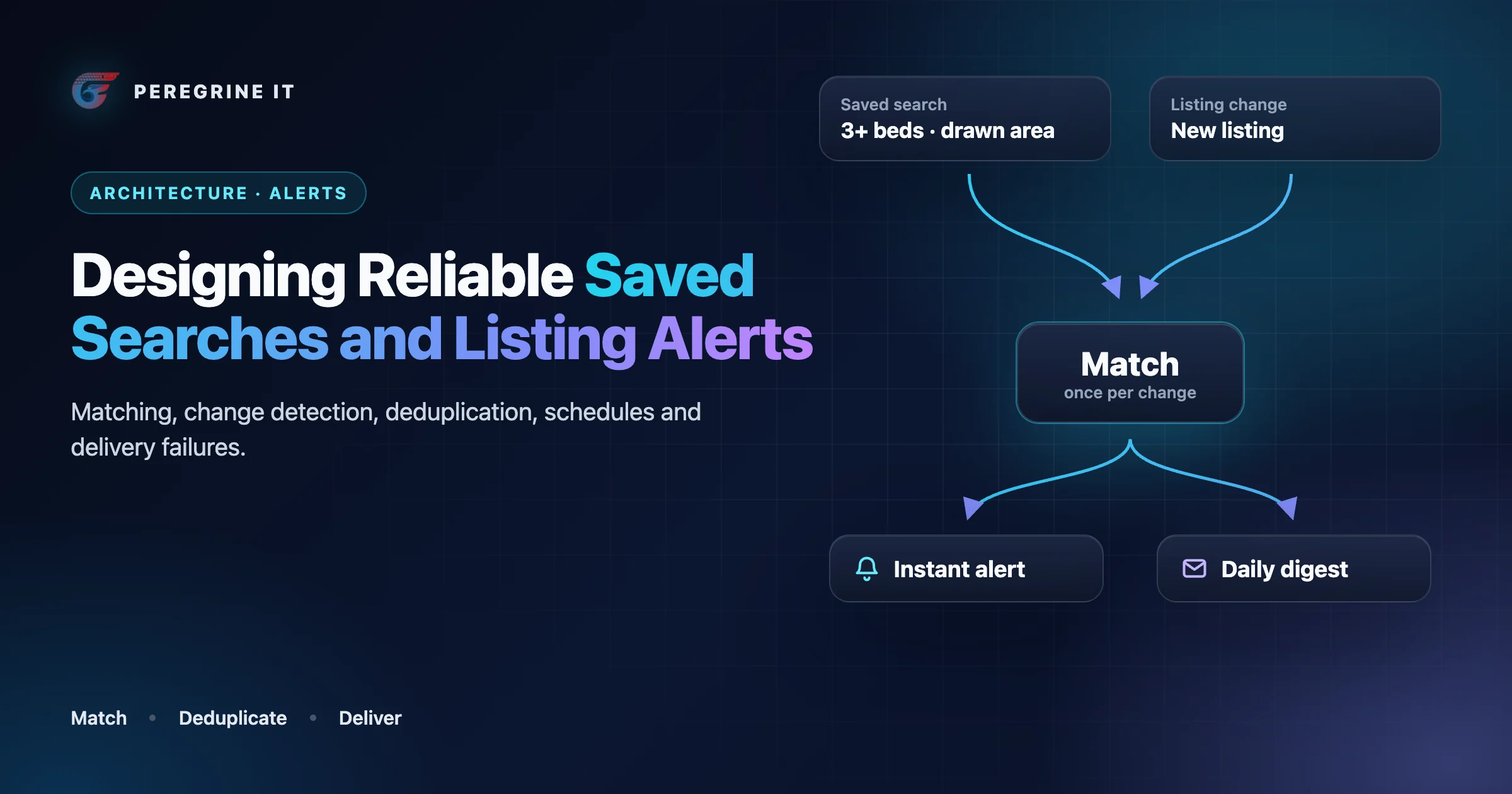
Five ways a listing alert fails
Saved searches look like a small feature: store the filters, email the user when something new matches. The failures show up after launch.
- The missed alert. A home matched, and the buyer heard about it from another site. Usually the change was processed while the matcher was down, or the listing came to match through a price drop and only new listings were being checked.
- The duplicate. The same home arrives twice, because a job was retried, because two of the user's searches matched, or because two MLSs carry the same property.
- The 3 a.m. alert. The sync ran overnight and the notification went out the moment it finished, in the server's time zone.
- The alert for a home that is gone. The digest was assembled in the morning from matches made the day before; the listing went under contract or was withdrawn in between.
- The alert that cannot be stopped. The unsubscribe link needs a login, or stops one search while four others keep sending.
A reliable alert system produces exactly one notification per qualifying change per user, at a time that user would accept, about a listing that may still be shown, to someone who still wants it. Each part of that sentence is a component. Search itself is covered in designing a real estate search engine with Elasticsearch, and the sync that produces the changes in the MLS data pipeline architecture guide.
The flow from a listing change to a delivery status
The same flow as a list:
- Listing change. The sync pipeline reports that a listing is new, changed price or changed status.
- Matcher. It reads the stored saved-search criteria and finds the searches this listing matches.
- Dedupe. A unique key of search, listing, event type and change version allows one alert per change.
- Alert events. The match is stored before anything is sent.
- Scheduler. It decides between instant and digest, using the user's time zone and quiet hours.
- Send-time gate. It checks that the listing is still displayable, the license allows it, and the user has not opted out or been suppressed.
- Channel. Email, push or SMS, each send carrying an idempotency key.
- Delivery status. Delivered, delayed, bounced or complained. Bounces, complaints and unsubscribes update the suppression list the gate reads.
Storing a saved search: criteria, not a URL
The shortcut is to save the search page's URL. It works until the filter UI changes: a parameter is renamed, price steps change, a property type is split in two. Every stored URL then means something slightly different or nothing at all, and there is no way to query "which saved searches include condos".
Store the search as structured criteria: a document with typed fields for price range, beds, property types, status set, area (a named area ID or a GeoJSON polygon) and keywords. The RESO Data Dictionary has a resource for the idea, SavedSearch, defined as saved search criteria and related data. Four properties make the stored form hold up:
- A criteria version. Each document records the schema version it was written in. When filters change, a migration rewrites old documents or a reader upgrades them on load.
- Canonical form. Sort arrays, drop empty fields, normalize units. Two users who saved the same search then have byte-identical criteria, and a hash of it lets the matcher evaluate the search once for both.
- Absolute where it matters. "Listed in the last 7 days" stays relative. A drawn polygon is stored as coordinates, not as a map viewport.
- Separate from preferences. What to match is one thing; how and when to notify (frequency, channel, paused) is another, and changes more often.
The URL for the "view results" link is generated from the criteria. It is an output, not the record.
An illustrative schema
Illustrative: three tables in PostgreSQL syntax, trimmed to the columns discussed in this article.
CREATE TABLE saved_search (
  id               uuid PRIMARY KEY,
  user_id          uuid NOT NULL,
  name             text NOT NULL,
  criteria         jsonb NOT NULL,          -- structured filters, canonical form
  criteria_version int  NOT NULL,           -- schema version of "criteria"
  criteria_hash    text NOT NULL,           -- identical searches share one evaluation
  frequency        text NOT NULL,           -- 'instant' | 'daily' | 'off'
  channel          text NOT NULL,           -- 'email' | 'push' | 'sms'
  paused_at        timestamptz,
  created_at       timestamptz NOT NULL DEFAULT now()
);

CREATE TABLE alert_event (
  id               uuid PRIMARY KEY,
  saved_search_id  uuid NOT NULL REFERENCES saved_search (id) ON DELETE CASCADE,
  user_id          uuid NOT NULL,
  listing_key      text NOT NULL,           -- originating system + key
  property_group   text,                    -- same home listed in two MLSs
  event_type       text NOT NULL,           -- 'new_match' | 'price_change' | 'status_change'
  change_version   bigint NOT NULL,         -- the listing version that caused it
  payload          jsonb NOT NULL,          -- old and new values needed to render
  matched_at       timestamptz NOT NULL DEFAULT now(),
  state            text NOT NULL DEFAULT 'pending',  -- 'pending' | 'sent' | 'dropped'
  dropped_reason   text,
  UNIQUE (saved_search_id, listing_key, event_type, change_version)
);

CREATE TABLE delivery (
  id               uuid PRIMARY KEY,        -- also used as the idempotency key
  user_id          uuid NOT NULL,
  channel          text NOT NULL,
  kind             text NOT NULL,           -- 'instant' | 'digest'
  alert_event_ids  uuid[] NOT NULL,
  scheduled_for    timestamptz NOT NULL,
  attempts         int NOT NULL DEFAULT 0,
  provider_id      text,
  status           text NOT NULL DEFAULT 'scheduled'
                   -- 'scheduled' | 'sent' | 'delivered' | 'delayed' | 'bounced' | 'complained' | 'canceled'
);
Change detection: the sync pipeline decides what happened
An alert begins with a statement like "this listing's price went from 700,000 to 640,000" (an illustrative figure). Only the sync pipeline can make it, because only it sees the record before and after. So when the pipeline writes a listing, it compares the stored version with the incoming one and emits a typed event.
Feeds do carry change fields, and it is tempting to rely on them. The RESO Data Dictionary defines ModificationTimestamp as the date/time the listing was last modified, PriceChangeTimestamp as the time the listing's price was last changed, and StatusChangeTimestamp likewise for status. The dictionary's own adoption figures, as generated on October 12, 2026, show why they cannot be the only signal: 100% of the organizations it lists provide the modification timestamp, but 92% the price change timestamp, 70% the status change timestamp and 64% the previous list price. A modification timestamp alone says that something changed, which includes a corrected typo or a reordered photo. Your own before-and-after comparison works for every feed.
Rules we would build into the detector:
- Events are typed and carry both values. New listing, price change (old and new), status change (old and new). Decide which transitions matter: "back on market" is news; "active to pending" is news to someone who saved the home, not to someone searching.
- Bulk operations are silent. An initial load, a backfill, a re-normalization or a search reindex touches every record. None of those is a change in the market. Tag pipeline runs and emit events only from incremental sync, or the first rebuild sends every user every listing.
- The event follows the commit. Emit after the listing is written, and let the matcher read the committed record, so an alert never links to a page still showing the old price.
- Each event has a version. A monotonically increasing version per listing (the feed's modification timestamp works) identifies the change. Everything downstream uses it to recognize a repeat.
Matching: re-run the searches, or reverse-match the listing
There are two ways to find out which saved searches a change concerns, and they scale in opposite directions.
Re-running each saved search on a schedule
Every N minutes, for each saved search, run its query with an extra condition, "changed since the last run", and record the hits. It reuses the search engine you already have and is easy to reason about. Its cost is proportional to the number of saved searches, whether or not anything changed, and its latency is the schedule interval. Grouping by criteria hash lets identical searches share one evaluation.
Reverse matching each changed listing
Turn the question around: store the searches as queries, and ask of each changed listing, which of these match? Elasticsearch has a field type for it: the percolator field parses a json structure into a native query and stores that query, so that the percolate query can use it to match provided documents; the percolate query can be used to match queries stored in an index. Cost is now proportional to the number of changes, and a match can be known soon after the sync writes the record. The documentation adds details that shape the design:
- Fields referred to in a percolator query must already exist in the mapping associated with the index used for percolation. The saved-search index needs the listing mapping, and both must change together.
- Queries can live in a dedicated percolator index with its own settings, but then you need to make sure that the mappings from the normal index are also available on the percolate index.
- Several listings can be checked at once, and doing so can improve performance as queries only need to be parsed and matched once instead of multiple times. A sync batch maps naturally onto one percolate request.
- Scores are irrelevant here, and better performance can be expected by wrapping the percolator query in a bool query's filter clause.
- Reindexing percolator queries is sometimes required after upgrades. Another reason the criteria document, not the stored query, is the source of truth.
Reverse matching does not require a search engine. For criteria that are mostly ranges and sets, a relational table of saved searches with indexed columns can be queried with the listing's values as parameters. Keywords and polygons are where the percolator becomes the simpler tool.
| Scheduled re-run | Reverse matching | |
|---|---|---|
| Work grows with | Number of saved searches | Number of listing changes |
| Latency | The schedule interval | Shortly after the sync writes the change |
| Extra moving parts | None beyond the search you have | A stored-query index kept in step with the listing mapping and the criteria |
| Detecting "now matches after a change" | Needs a record of what was already alerted | Evaluate the old and new versions and compare |
| Fits | Daily digests; a modest number of saved searches | Instant alerts; many saved searches; frequent sync |
We would run both: reverse matching for instant alerts, and a nightly scheduled pass as a safety net that catches anything the event path missed and writes it through the same dedupe key.
What "matches" means when a listing changes
The subtle case is a change that moves a listing into or out of a search. In the example above, a search with a maximum of 650,000 gains a result. For that user this is not a price change on a home they knew about; it is a new match. The matcher therefore evaluates both versions of the listing:
- Matches now, did not before: a new match, whatever the underlying event was.
- Matched before and still matches, and the price or status changed: a change on a known match.
- Matched before, does not now: nothing to send, but pending alerts for it should be reconsidered at the gate.
Illustrative pseudocode for the matcher:
// Illustrative pseudocode. Runs once per batch of committed listing changes.
function matchBatch(changes):
  for change in changes:
    if change.run_type != "incremental":        // initial loads and rebuilds are silent
      continue

    listing_now    = change.after
    listing_before = change.before               // null for a brand-new listing

    if not displayable(listing_now):             // removed, opted out, outside license scope
      dropPendingAlertsFor(listing_now.key)
      continue

    now    = searchesMatching(listing_now)       // percolate, or indexed lookup
    before = {}                                  // a listing nobody could see matched nothing
    if listing_before and displayable(listing_before):
      before = searchesMatching(listing_before)

    for search in now:
      if search.paused or search.frequency == "off":
        continue

      if search not in before:
        type = "new_match"
      else if change.kind in ("price_change", "status_change"):
        type = change.kind
      else:
        continue                                 // matched before, nothing newsworthy changed

      // The unique key makes this safe to run twice.
      insertIgnoreDuplicate(alert_event,
        saved_search_id = search.id,
        user_id         = search.user_id,
        listing_key     = listing_now.key,
        property_group  = listing_now.property_group,
        event_type      = type,
        change_version  = change.version,
        payload         = { before: summary(listing_before), after: summary(listing_now) })
Deduplication at three levels
Duplicates have three different causes and need three different guards.
- The same work done twice. A job retried after a timeout, a webhook delivered again, the nightly safety net finding what the event path already found. The unique constraint on (search, listing, event type, change version) turns the second insert into a no-op, which is why the event is stored before anything is sent. Queue-level retries and idempotent jobs are covered in background jobs with Redis and BullMQ.
- The same home, several reasons. One user has three searches that all match, or the same property is listed in two MLSs. The user should get one mention. Collapse at assembly time: group a user's pending events by property group (or listing key where there is no group), keep one, and list the matching search names under it. Both listing records stay in your data; only the notification is merged.
- The same home, changing repeatedly. A price corrected twice in an hour, a status that flips and flips back. For a digest, show the net change from what the user last saw to the current state, and nothing at all if they are equal. For instant alerts, a short per-listing cool-down prevents a burst.
Scheduling: instant, digest, time zones and quiet hours
Matching answers what; scheduling answers when. Keep them apart, so that a matcher that runs at 03:00 cannot send anything at 03:00.
- Frequency is per search. A buyer may want instant alerts for one narrow search and a daily summary for a broad one. "Instant" still passes through the scheduler; it means "as soon as allowed".
- Store a time zone name, not an offset. A fixed offset is wrong for part of the year wherever daylight saving applies. Store the IANA zone name (for example America/Chicago) on the user and let the database or library do the conversion; PostgreSQL, for one, uses the widely-used IANA (Olson) time zone database and notes that zone rules are prone to arbitrary changes, particularly with respect to daylight-savings rules. Default the zone from the market being searched when the user has not set one.
- Quiet hours hold, they do not drop. An instant alert matched during the user's quiet window is scheduled for the window's end. If several accumulate, send them as one message.
- Digests are assembled at send time. At the user's local send hour, gather pending events, apply the three dedupe rules, re-read each listing's current state, and build the message from that. A digest built from yesterday's snapshot is how the alert for a home that is gone gets sent.
- Empty means silent. No "no new listings today" message. And cap the total per user per day; a search that matches hundreds of changes should produce a summary with a link.
- Spread the load. Everyone in a time zone choosing the same hour creates a spike for your sender and your site. Scheduling within a window around the chosen hour smooths it.
Preferences and unsubscribe
Listing alerts are mail a person subscribed to, and mailbox providers have rules for that. For senders of more than 5,000 messages a day to Gmail accounts, Google's guidelines say marketing messages and subscribed messages must support one-click unsubscribe, and include a clearly visible unsubscribe link in the message body. Its FAQ clarifies that transactional messages are excluded from this requirement, with password resets and confirmations as examples; an alert about new listings is not in that group, so we would treat it as subscribed mail from the start. Yahoo asks bulk senders for a functioning list-unsubscribe header, which supports one-click unsubscribe for marketing and subscribed messages.
The mechanism is defined in RFC 8058:
- The sender places one List-Unsubscribe header field and one List-Unsubscribe-Post header field in the message. The first MUST contain one HTTPS URI; the second MUST contain the single key/value pair "List-Unsubscribe=One-Click".
- The message MUST have a valid DomainKeys Identified Mail (DKIM) signature that covers at least the List-Unsubscribe and List-Unsubscribe-Post headers.
- The URI MUST contain enough information to identify the mail recipient and the list, and the POST request MUST NOT include cookies, HTTP authorization, or any other context information. In practice: a signed token in the URL, no login, and an endpoint that acts on a POST.
Deadlines differ by source, so build to the shortest. The FTC's CAN-SPAM compliance guide for business states that for the commercial email the Act covers, you must honor a recipient's opt-out request within 10 business days; whether your alerts are commercial messages under that Act, and what else it requires of them, is a question for counsel. Yahoo says to honor unsubscribes within 2 days, and Google's FAQ lists unsubscribe requests aren't honored within 48 hours among the conditions under which delivery support or mitigations are unavailable. With a send-time gate, the practical answer is immediately: the opt-out is a row the gate reads before the next send, including for digests already scheduled.
Design choices that follow:
- What the header unsubscribes from. We would make the one-click header stop all listing-alert email for that address; a person who unsubscribes and then receives an alert from a different saved search is likely to report spam. Finer control belongs on the preference page linked in the body.
- Preferences without a login. The body link opens a page, authorized by the same kind of token, where each search can be paused, switched to a digest or deleted. Yahoo asks for an obvious and visible unsubscribe process that doesn't require users to log in.
- Opt-out is per channel and outlives the search. Deleting and recreating a search must not re-subscribe an address that opted out. Push and SMS have their own consent rules, which this article does not cover.
- Agent-created searches. Where an agent sets up a search for a client, the client is the recipient, and we would let the client's opt-out win.
Delivery failures: bounces, suppression and safe retries
Handing a message to a provider is not delivery. Providers report what happened afterwards as events. Using Resend's documentation as one example of the vocabulary: a bounce means the recipient's mail server permanently rejected the email; a delivery delay means it couldn't be delivered due to a temporary issue; and there are separate events for complaints and for mail the provider suppressed. Map whichever provider you use onto those four categories.
- Permanent failure: stop. A hard bounce or a complaint suppresses the address for alerts. Providers keep their own list (Resend describes its list as intentionally skipping sending to any addresses on your list), but keep yours too. Your gate should not schedule mail the provider will discard, and your record survives a change of provider. Note the caveat in the same documentation: not all Inbox Service Providers return a complained event, most notably, Gmail/Google Workspace. Complaint rates for Gmail are read in Google's own tools, where the guideline is to keep spam rates reported in Postmaster Tools below 0.3%.
- Temporary failure: let the provider retry. A delayed delivery is the provider still trying. Record it; do not send a second copy.
- Failure to hand over: retry with an idempotency key. If the API call times out, you do not know whether the message was accepted, and a blind retry can send a duplicate. An idempotency key makes the retry safe. In Resend's case, the API checks whether an email with the same idempotency key has already been sent in the last 24 hours, and keys can be up to 256 characters and must be unique per API request. Use the delivery row's ID as the key, so one planned message can only ever become one email.
- Know the window. A provider's key memory is finite (24 hours in that example). Cap your own retries well inside it, and after that treat the delivery as failed. The delivery table, with its status and attempt count, is the durable guard.
- Status events can repeat and arrive out of order. Apply them idempotently, keyed by the provider's message ID, and never move a delivery backward from a final state.
What must stop an alert
Between a match and a send, minutes or a day can pass. The send-time gate re-checks everything that could have changed.
| Condition at send time | Action | Why |
|---|---|---|
| The listing was removed from the feed | Drop the event | On MLS Grid, for example, when MlgCanView changes to false the record is no longer valid for the feed type you consume and must be removed from your local data store. We would treat a queued alert as a display of that record and drop it. |
| The listing's status is no longer one this search or this surface may show | Drop, or convert to a status-change alert if the user saved that home | Which statuses may be displayed, and to whom, is a question for your MLS agreement |
| The license for the feed does not cover this use | Never match it in the first place; drop if it slips through | An email is a display surface. Whether a given license type permits listing data in email to a registered consumer is for your MLS agreement to answer; check it per feed |
| The seller opted the listing or its address out of internet display | Apply the same display policy as the website | We would apply the opt-out fields to what is sent as well as to what is served; confirm the rule with your MLS |
| The listing no longer matches the search | Drop | The price went back up, or the user edited the search |
| The search is paused or deleted, or the account is closed | Cancel pending events and deliveries | Deleting a search should take effect on the next send, not after the queue drains |
| The address is unsubscribed or suppressed | Cancel | The deadlines in the previous section |
An email, once sent, cannot be recalled, so keep the message thin: a photo served from your own storage, the headline facts, and a link to the live listing page. When a listing is later removed, the image can be withdrawn and the link leads to a page that returns the right status, as covered in handling sold, expired and deleted listings.
Signals to monitor
- Match lag: time from a listing change being committed to its alert events being written.
- Changes processed against changes emitted, per sync run; a gap is a missed alert.
- Inserts rejected by the dedupe key; a sudden rise means something upstream is repeating.
- Events dropped at the gate, by reason.
- Alert events per run compared with a ceiling; a bulk operation leaking events trips it before users see it.
- Deliveries by final status, with bounce and complaint rates per sending domain.
- Unsubscribes per message sent, by search type; a spike points at a noisy alert.
- Deliveries scheduled inside a user's quiet hours: expected to be zero.
- Time from an unsubscribe request to the last message sent to that address: expected to be zero.
Frequently Asked Questions
Is the Elasticsearch percolator required for listing alerts?
No. Re-running each saved search on a schedule works for digests and modest volumes. The percolator suits instant alerts at scale because it reverses the lookup: it can be used to match queries stored in an index against each changed listing. It needs the listing mapping on the stored-query index, since fields referred to in a percolator query must already exist in the mapping.
Do listing alert emails need one-click unsubscribe?
Treat them as subscribed mail. Google requires that, for senders of more than 5,000 messages a day, marketing messages and subscribed messages must support one-click unsubscribe, and RFC 8058 defines the headers: a List-Unsubscribe header that MUST contain one HTTPS URI and a List-Unsubscribe-Post header.
What happens to a pending alert when the listing is removed?
We would not send it. Re-check every listing at send time, not only when it matched. On MLS Grid, for example, a record whose MlgCanView becomes false must be removed from your local data store, and we treat an alert as a display of that record.
Sources were read on October 13, 2026: Elastic, RFC 8058, Google and Yahoo sender guidelines, the FTC guide, Resend, PostgreSQL, MLS Grid and the RESO Data Dictionary (whose pages were generated October 12, 2026). Canada's anti-spam rules, and the consent rules for SMS and push, were not checked and are not summarized. Sender requirements and MLS rules change; your MLS agreements decide what listing data may be sent to whom. This is engineering guidance, not legal advice. The schema and pseudocode are illustrative and were not executed.
Building saved searches and alerts on MLS data? See our MLS and IDX integration service. Every project starts with a 30-minute technical discovery call with an engineer.
